Some habits stick with you throughout your career, and one I’ve carried from agency life into my current in-house role is the humble monthly website audit.
Years ago, when I worked at a design agency, we’d be given a list of around 10 to 15 client websites each month. Our job was to work through them, checking everything from broken links and performance to security, functionality and general website health.
It wasn’t particularly glamorous work, but it was valuable. More importantly, it taught me the benefits of regularly checking websites rather than waiting for something to go wrong.
Fast-forward to today, and I still follow much the same process for the websites I look after in-house.
Making time for maintenance
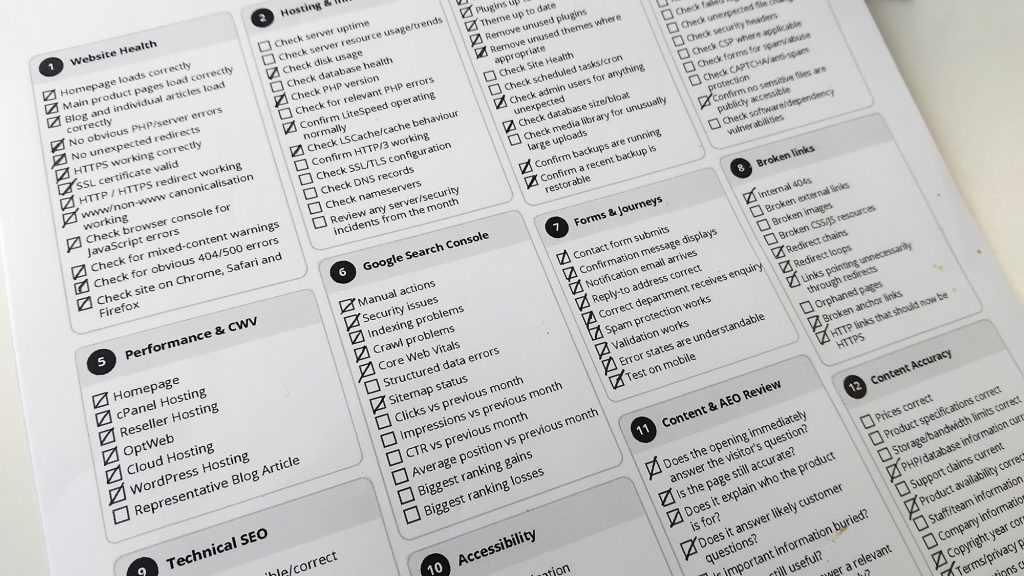
Once a month, I sit down with a printed checklist and work through the various areas of our websites.
It covers quite a bit: website functionality, hosting, WordPress updates, security, performance, Core Web Vitals, technical SEO, accessibility, forms, broken links and content accuracy.
Some checks take seconds, while others need a little investigation. Occasionally, I’ll spot something that needs fixing, but often everything is working exactly as expected.
And that’s fine. In fact, that’s what I’m hoping for.
Having a physical checklist might seem a little old-fashioned, particularly when so much can be monitored automatically, but I quite like the process. It encourages me to slow down, look at things properly and occasionally notice something I wouldn’t have spotted otherwise.
The benefits of doing it in-house
One of the advantages of working in-house is having a deeper understanding of the websites you’re responsible for. You know their history, the decisions behind them and the changes that have been made over time.
Regular audits build on that knowledge.
They also encourage you to look beyond your immediate workload. When you’re busy developing new features, creating content or working on campaigns, it’s easy to overlook the smaller details of an existing website.
A form might stop working, a redirect might break, or a page might gradually become slower. Individually, these things can seem minor, but they all contribute to the overall experience.
Regular checks help catch them before they become bigger problems.
Not everything needs automating
I’m a big believer in automation, particularly for monitoring uptime, errors and other technical issues. But I also think there’s value in occasionally stepping away from dashboards and looking at a website as an actual visitor would.
Does the navigation make sense? Is the information still accurate? Does the contact form work? Are there any obvious frustrations?
Automated tools can tell you plenty about a website’s technical health, but they don’t always tell you how pleasant it is to use.
For me, the two approaches complement each other.
Small habits, long-term benefits
After more than 20 years working across design and development, I’ve come to appreciate the value of simple, repeatable processes.
A monthly audit isn’t particularly exciting, and it rarely produces anything worth showing off. But it helps keep websites reliable, highlights opportunities for improvement and provides a little reassurance that everything is working as intended.
It’s one of those habits I picked up years ago that has followed me throughout my career.
And I don’t see myself stopping anytime soon.